On this page
- Official Super Bear Adventure APK: file and version info
- Download Super Bear Adventure APK: which version fits your phone?
- How to install the official Super Bear Adventure APK without the Play Store
- How to update the Super Bear Adventure APK without losing progress
- How to make sure your Super Bear Adventure APK is genuine
- Common problems when installing or opening the game
- Controls and basic moves
- Super Bear Adventure Beta: how is it different?
- How to play Super Bear Adventure online with friends
- Super Bear Adventure on PC: how to play on a laptop
- Super Bear Adventure on iPhone and iPad
- In-app purchases: SBA Gold, Remove Ads and bundles
- Frequently asked questions
- More guides
Official Super Bear Adventure APK: file and version info
Super Bear Adventure is a 3D platformer by Earthkwak Games, a small French studio led by Stéphane Hulot. It launched on Android in 2017 and is now also on iPhone, iPad and Nintendo Switch. On Google Play it has passed 100 million downloads, with a 4.4 rating from about 1.17 million reviews.
This page covers the official APK only: how to choose it, install it, update it and confirm it's genuine. If you're after the story, worlds and mini-games, they're all in our main Super Bear Adventure guide.
| Info | Official Super Bear Adventure APK |
|---|---|
| File version on this page | 13.0.8 (October 5, 2026) |
| Package name | com.Earthkwak.Platformer |
| Signed by | Earthkwak Games (Stéphane HULOT) |
| Minimum Android | 7.1, since version 13.0.7 |
| Architectures | arm64-v8a and armeabi-v7a |
| Languages | Indonesian and dozens of others, including Arabic since 13.0 |
| Price | Free, with ads and in-app purchases |
Download Super Bear Adventure APK: which version fits your phone?
Version 13.0.7 (October 3, 2026) moved the game to Unity 6.3. Because of that, the developer raised the minimum to Android 7.1. Use this table to choose:
| Your device | Best option |
|---|---|
| Android 7.1 or later | The latest version from Google Play, or the 13.0.8 file on this page |
| Android 6.0 to 7.0 | Version 13.0.5, the last Android release before the requirement rose |
| iPhone / iPad | App Store, iOS 15 or later (see the iOS section) |
| Windows laptop | Google Play Games on PC or an emulator (see the PC section) |
| Mac with M1 or newer | Mac App Store (iPad version) |
arm64-v8a or armeabi-v7a?
Most Android phones released in recent years have 64-bit processors, so the arm64-v8a file is the safe choice. The armeabi-v7a file is only for older 32-bit phones. If you're not sure, a free app like CPU-Z shows your processor architecture in its System tab.
In the apk.gold catalogue, the 13.0.8 package is about 265 MB for arm64-v8a and 263 MB for armeabi-v7a. That site also lists a higher Android requirement for some files than the official 7.1. If a file from a third-party store refuses to install even though you're on Android 7.1, install through Google Play instead.
Older versions for older Android phones
APK stores such as Uptodown keep earlier official versions, for example 13.0.5, which still supports Android 6.0. Older versions still play fine, but you can't join a multiplayer party with friends on a newer version. Always check the developer name and version number before downloading.
How to install the official Super Bear Adventure APK without the Play Store
- Download the APKUse the button on this page and wait for the download to finish.
- Allow the installWhen you open the file, allow "Install unknown apps" for your browser or file manager.
- InstallTap Install. If the Play Store version is already installed, the official APK updates it without deleting data because the signature matches.
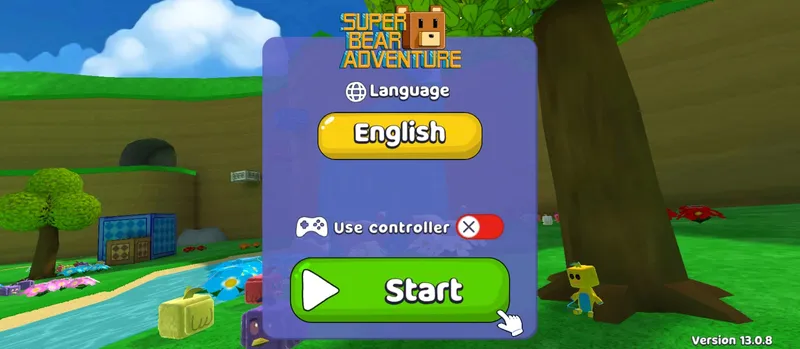
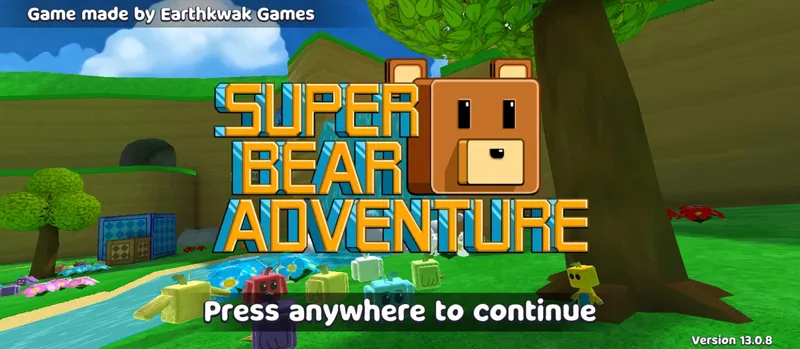
- Check the versionOpen the game. The version number appears in the bottom-right corner of the title screen, for example "Version 13.0.8".
- Turn the permission off againWhen you're done, revoke the install permission from that app to keep your phone safe.
XAPK or APKS files: how to install them
Some stores ship this game as a bundle rather than a single APK. Uptodown uses XAPK, while apk.gold uses APKS. Android's built-in installer can't open these formats, so use the installer app from the same store or a split APK installer such as SAI.
How to update the Super Bear Adventure APK without losing progress
Updating the official APK is safe as long as the new file is signed by the same developer. Install the new version over the old one, without uninstalling, and all your progress stays. If you were on a MOD version before, the signature is different, so Android will refuse the update until the old version is removed.
- Connect Google Play GamesMake sure your Google Play Games account is active before you update, so your progress is also stored off the device.
- Install the new version over the old oneDon't uninstall first. Android replaces the old files and leaves your save data alone.
- Open the game and check your progressGo to Bear Village and confirm your items and number of rescued bears are unchanged.
Version 12.1.4 fixed a bug that could corrupt the save file and wipe all progress. If you're still below that version, update as soon as you can.
How to make sure your Super Bear Adventure APK is genuine
App stores list several games with similar names and bear artwork. Files outside Google Play may also have been modified. Check these three things before installing:
- The developer must be Earthkwak Games.
- The package name must be
com.Earthkwak.Platformer, the same as in the Google Play URL. - The signature must belong to Earthkwak Games, Stéphane HULOT. apk.gold lists the certificate's SHA-256 fingerprint as starting with
891814D9.
You can view an APK's signature with an inspection app such as App Manager. If the signer's name is different, the file isn't an official release even when the name and icon match.
Common problems when installing or opening the game
| Problem | Usual cause | Fix |
|---|---|---|
| "App not installed" | A MOD or differently signed version is still installed | Remove the old version, then install again |
| "There was a problem parsing the package" | An XAPK/APKS file opened as a plain APK, or an incomplete download | Use a split APK installer, or download again |
| Won't install on an old phone | Android below 7.1 | Use version 13.0.5 |
| The game asks for Google Play services or opens the Play Store | Google Play Services missing or outdated | Update Google Play Services, or install through the Play Store |
| Storage full | The game package is about 260 MB | Keep at least twice the file size free |
Complaints about Google Play services come mostly from phones without Google Play Services. On those devices the official game can fail to open even when the APK is genuine.
Controls and basic moves
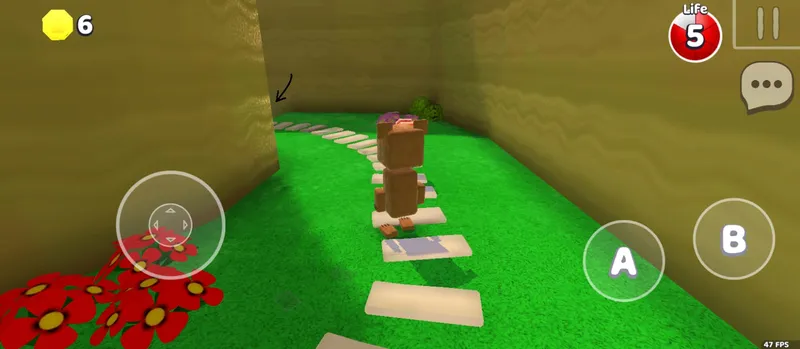
On a touchscreen, the virtual joystick sits on the left. On the right are two buttons: A to jump and B to attack. Along the top, the coin counter is on the left, while the life counter, the pause button and a speech-bubble icon are on the right.
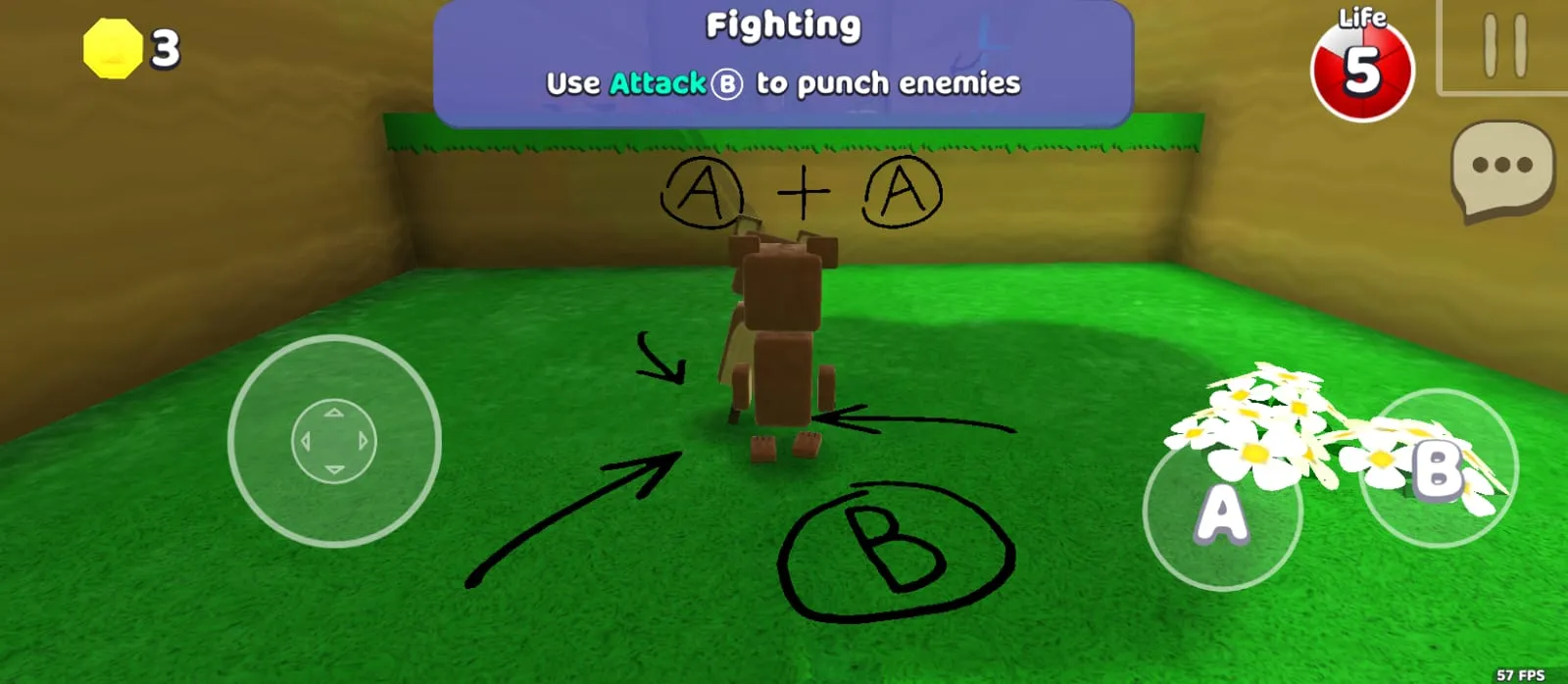
Punching enemies
Press B to punch. The fighting tutorial shows the message "Use Attack B to punch enemies". Punches are the main way to beat small enemies in every world.
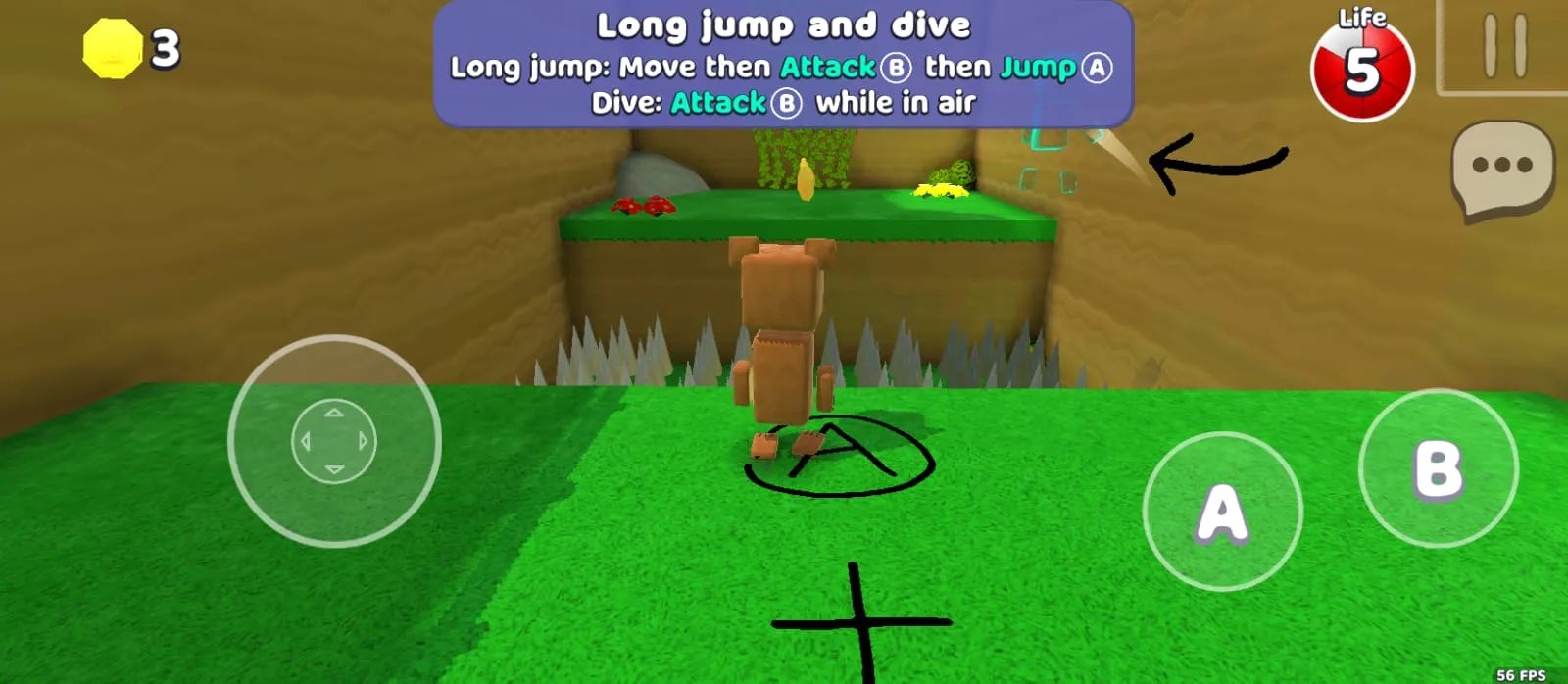
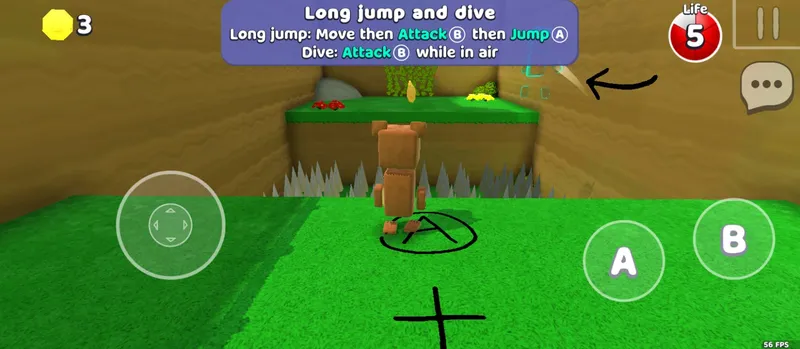
Long jump and dive
Long jump: move Baaren, press B, then A. Dive: press B while still in the air to lunge forward. This combo is how you clear wide gaps and spike traps.
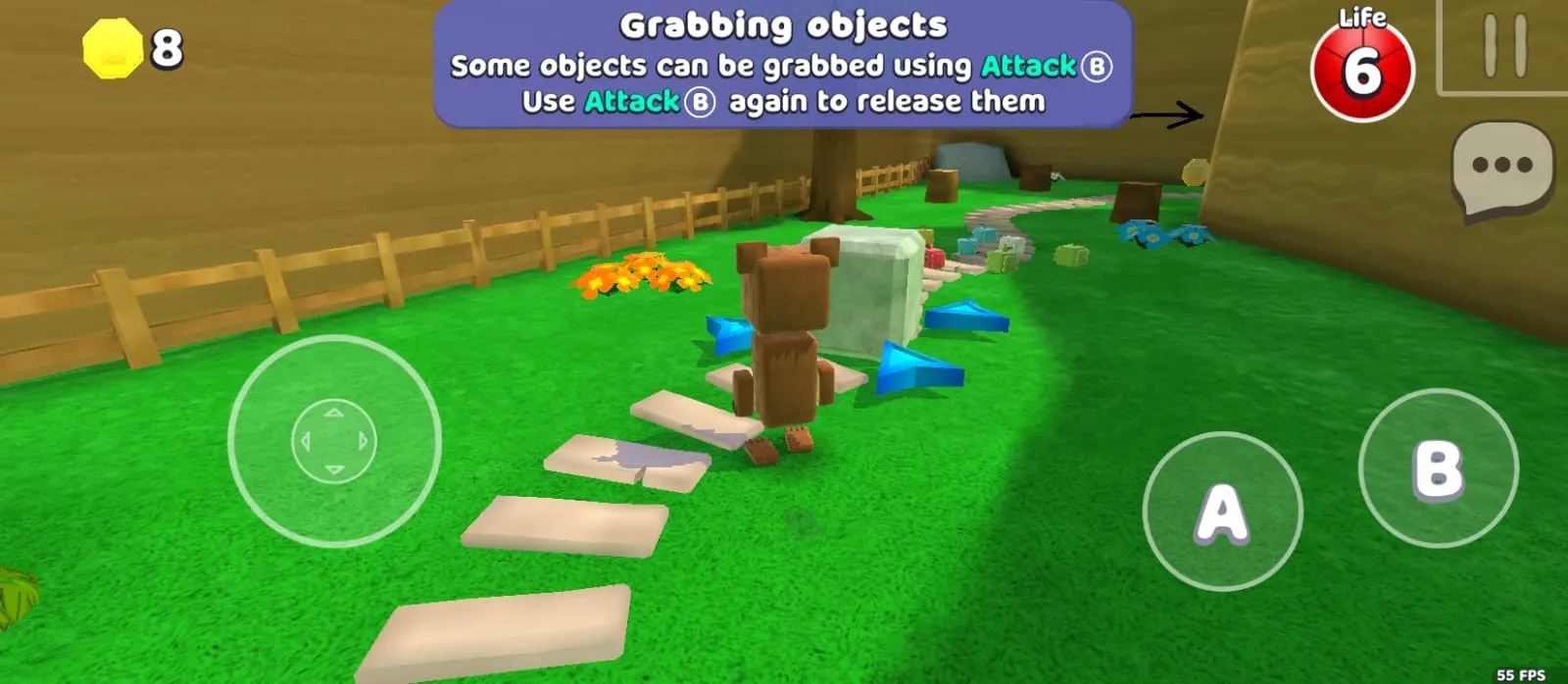
Grabbing objects
Some objects can be picked up with B and dropped by pressing B again. You'll use this to move blocks and open certain paths.
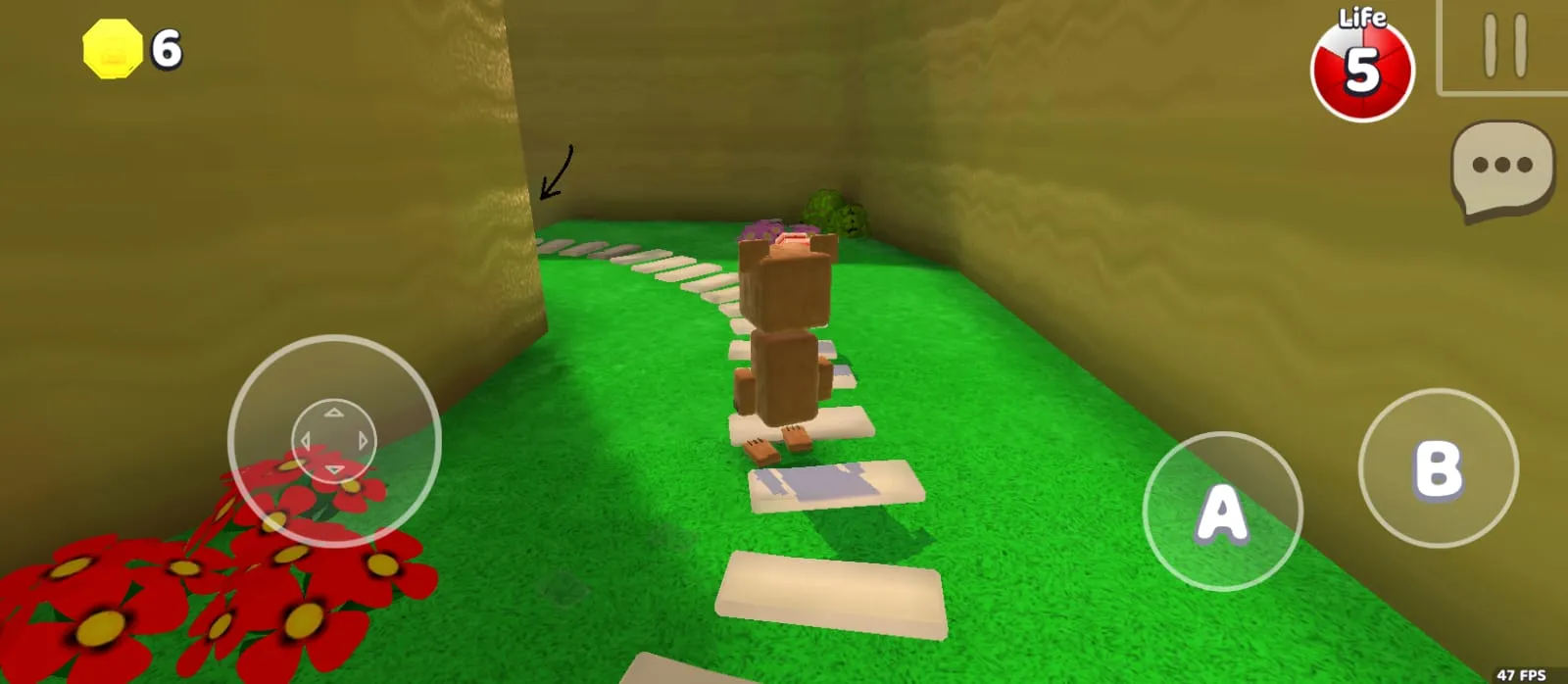
Lives and coins
The number in the red circle at the top right is your remaining lives, 5 in this screenshot. Coins you collect appear at the top left and are spent on lootboxes and cosmetics.
Extra moves since 12.0
Update 12.0 added the wall run: push Baaren toward a wall while in the air to run up it or slide down it. You can also shuffle left and right while hanging from a ledge. Update 13.0 added underwater attacks and faster swimming upward.
The start menu has a Use controller option. Turn it on if you play with a gamepad, whether on your phone or on PC.
The tutorial at the start of the game teaches all of these basics, so don't skip it. Once the controls feel natural, move on to the Super Bear Adventure tips and tricks in our main guide.
Super Bear Adventure Beta: how is it different?
"Super Bear Adventure Beta" and "Super Bear Beta" are often mistaken for a separate game. In fact, a beta is simply an official test build opened before a major update ships.
The last public beta was for the 12.0 Multiplayer Update. According to the developer's notes, it ran from Beta 1 (April 23, 2025) to Beta 10 (June 20, 2025), and the final version reached all players on July 2, 2025. The official beta page now says that public beta is over.
The official beta changelog ends at Beta 10. Files labelled "Super Bear Adventure Beta 11" or higher aren't developer releases, usually the regular game or a mod with a new name.
How to play Super Bear Adventure online with friends
Official multiplayer arrived in version 12.0. Up to 4 players can play together, and sessions are cross-platform: Android players can party up with iOS and Nintendo Switch players.
- Match your game versionsEveryone should run the latest version. Mismatched versions are the most common reason connections fail.
- Go to the network machineHead to the network machine in Bear Village to create or join a party.
- Share the invite codeSince version 12.1.4, codes use a new format and can be copied and pasted, so they're easy to send over WhatsApp or Discord.
- Set up the partyThe party owner can choose whether players can hit each other and whether player collisions are on.
- Vote to enter a levelGroup decisions, like entering a level or resetting the map, are made by a vote among party members.
When multiplayer launched, The Hive, Arcade World and Tristopio's missions couldn't be played together. On the other hand, the Crystalline Lagoon from update 13.0 has an optional area that can only be completed in multiplayer.
Super Bear Adventure on PC: how to play on a laptop
Windows: with Google Play Games on PC
The game's Google Play page now lists support for Google Play Games on PC. Install the Google Play Games app for Windows, sign in with the same Google account as on your phone, then search for Super Bear Adventure. This uses the official version, so updates arrive automatically and your progress can follow the same account.
Windows: with an Android emulator
An emulator such as BlueStacks helps if your laptop doesn't meet the Google Play Games requirements or you need a specific version. Super Bear Adventure is listed in the BlueStacks catalogue, and you can also drag an APK file onto the emulator window to install it.
| Component (BlueStacks 5) | Minimum | Recommended |
|---|---|---|
| Operating system | Windows 7 | Windows 10 or 11 |
| Processor | Intel or AMD | Multi-core, virtualization (VT) enabled in BIOS |
| RAM | 4 GB | 8 GB or more |
| Storage | 5 GB free | SSD |
Mac: through the App Store
On a Mac with an Apple M1 chip or newer and macOS 12 or later, the iPad version installs straight from the Mac App Store. Apple lists it as "Designed for iPad" and not verified for macOS, so some controls may feel slightly off.
Super Bear Adventure on iPhone and iPad
The official iOS version is free on the App Store. It needs iOS 15.0 or later and takes about 445 MB. It's the same version as on Android, so you can play multiplayer with friends on Android.
APK files can't be installed on an iPhone or iPad. Avoid sites offering modified Super Bear Adventure builds through configuration profiles, because they put your device and Apple ID at risk.
In-app purchases: SBA Gold, Remove Ads and bundles
Super Bear Adventure is free to play, and the developer earns from ads and optional purchases. Since update 13.0, paid cosmetics are sold as bundles at Capitalos' shop (the blue one). The regular item shop and lootboxes are now run by Grannytalus in Bear Village, and the Wheel of Fortune has been removed.
| Item (US App Store price) | Price |
|---|---|
| SBA Gold | $4.99 |
| Remove ads | $1.99 |
| Pierre Music Kit Vol.1 | $2.99 |
| Cosmic Crew Bundle | $2.99 |
| Robot Lab, Mission: Explorers, Pirates of the forgotten sea, Osos Latino | $1.99 per bundle |
Prices in other countries follow local exchange rates and taxes, so the amount in your app may differ. Version 13.0.7 also fixed several in-app purchase issues, so update first if a transaction fails.
Frequently asked questions
Is the Super Bear Adventure APK free?
Yes, the game is free on Google Play and the App Store. There are ads and optional purchases like SBA Gold, Remove Ads and cosmetic bundles.
What's the latest version of Super Bear Adventure?
The latest official version is 13.0.8, released October 5, 2026, and the file on this page is the same version. You can play together as long as your friends run the same version.
Is an APK from outside the Play Store the same as the Play Store version?
Yes, as long as it's signed by Earthkwak Games and the package name is com.Earthkwak.Platformer. Here's how to check in the genuine APK section.
What's the difference between APK, XAPK and APKS?
An APK is a single file you can install directly. XAPK and APKS are bundles holding several APK files, so they need a dedicated installer app.
Will I lose progress if I reinstall the game?
You can, if your data is only stored on the device. Install updates over the old version without uninstalling so your data stays, and connect Google Play Games before any reinstall.
Which Super Bear Adventure version works on Android 6?
Version 13.0.5 is the last Android release that still supports Android 6.0. From 13.0.7 the minimum is Android 7.1.
How do you long jump in Super Bear Adventure?
Move Baaren, press B, then A for a long jump. If you need more distance, press B again in the air to dive.
Can I still join the Super Bear Adventure Beta?
Not right now. The last public beta, for the Multiplayer Update, ran from April to June 2025 and has closed. All of its features are now in the regular version.
Why can't I join my friend's party?
Usually because your game versions differ or the invite code is wrong. Update every device to the same version and paste the invite code.
Is Super Bear Adventure on Nintendo Switch?
Yes, it's on the Nintendo eShop. The developer says the 13.0 update for Switch follows after the mobile release.
How is the official version different from the MOD APK?
The official version comes straight from the developer and updates automatically. The MOD APK is a third-party build with unlimited coins and unlocked skins. The full comparison is on our MOD APK page.
More guides
Sources: the official Super Bear Adventure site, the official beta page, the changelog at superbearadventure.com/news, Google Play, the App Store, the Uptodown and apk.gold catalogues, and our own screenshots of version 13.0.8. Checked on November 19, 2026.
